2.1.12 Check Your Understanding – The Problem Solving Process Answers
2.1.12 Check Your Understanding – The Problem Solving Process Answers
The 2.1.12 Check Your Understanding – The Problem Solving Process Answers section is designed to reinforce learners’ understanding of the structured approach used in troubleshooting IT issues. This topic focuses on the key steps of the problem-solving methodology, including identifying the problem, establishing a theory of probable cause, testing the theory, implementing a solution, and verifying full system functionality. By reviewing these expert-verified answers, students can develop a logical and systematic mindset that enables them to resolve technical problems efficiently while minimizing disruption to users and business operations.
Order the steps in the troubleshooting process.
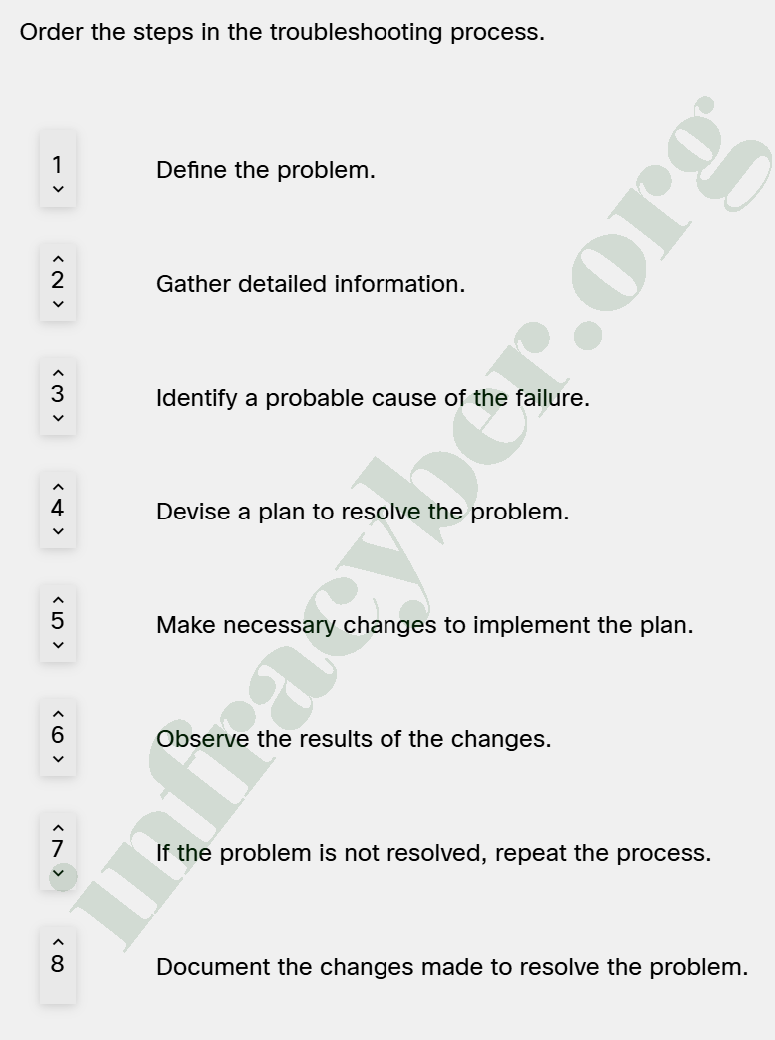
🔧 Troubleshooting Process (Step-by-Step Explanation)
This is a structured method used by IT professionals to solve problems efficiently and avoid guessing.
1. Define the problem
👉 Understand what exactly is wrong
- Identify symptoms (slow, no internet, crash)
- Talk to the user
- Determine scope (one PC or entire network)
💡 Without a clear problem definition, everything else fails.
2. Gather detailed information
👉 Collect all relevant data
- Error messages
- Logs
- User actions before issue
- System changes
💡 This step supports step 1 and avoids wrong assumptions.
3. Identify a probable cause
👉 Think of possible reasons
- Hardware issue?
- Software bug?
- Network problem?
- Misconfiguration?
💡 This is where your experience and knowledge matter.
4. Devise a plan to resolve the problem
👉 Create a safe solution strategy
- Choose best fix
- Consider risks
- Plan rollback if needed
💡 Never apply random fixes—always plan first.
5. Make necessary changes (Implement the solution)
👉 Apply the fix
- Change configuration
- Restart services
- Replace hardware
- Update software
💡 Follow the plan carefully.
6. Observe the results
👉 Verify if the problem is solved
- Test system
- Ask user to confirm
- Monitor behavior
💡 This step confirms success.
7. If not resolved, repeat the process
👉 Troubleshooting is iterative
- Try another cause
- Refine your theory
- Go back to step 3
💡 Real-world issues often need multiple attempts.
8. Document the solution
👉 Record everything
- Problem description
- Root cause
- Solution applied
- Results
💡 Documentation helps:
- Future troubleshooting
- Knowledge sharing
- Professional support process